/fdata%2F5016695%2Favatar-blog-1266450339-tmpphpnXZ5LS.jpg)

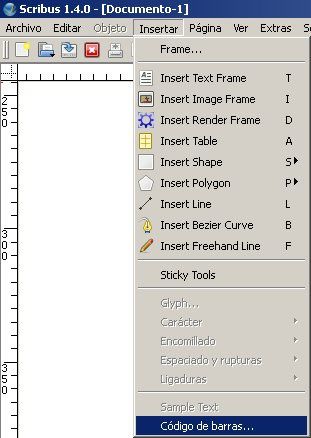
Today, I will show you another interesting function for self-editing: barcode creation. Scribus includes this useful tool; it can be launched from the command "Insert -> Barcode":
The auxiliary window that pops up will allow you to input the desired barcode type and family. In this case, I select "ISBN", and input the data for my book: 978-1478353911
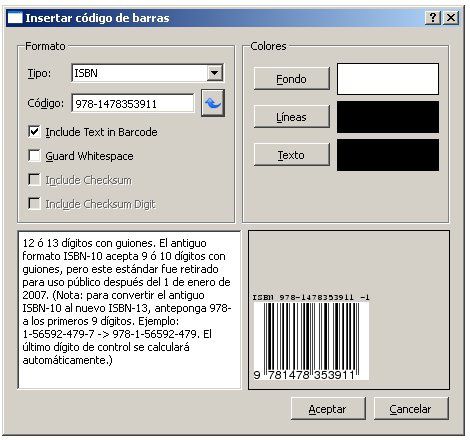
Even colours can be changed!
You can see a preview of the introduced data. You can decide wheter you want the upper text shown or not. The option "Guard white space" will add a ">" character to the right of the barcode data, to fill in the blank area and improve later composition.
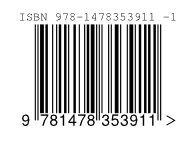
The barcode is placed on the Scribus document at the desired point, that you will select with a mouse click.
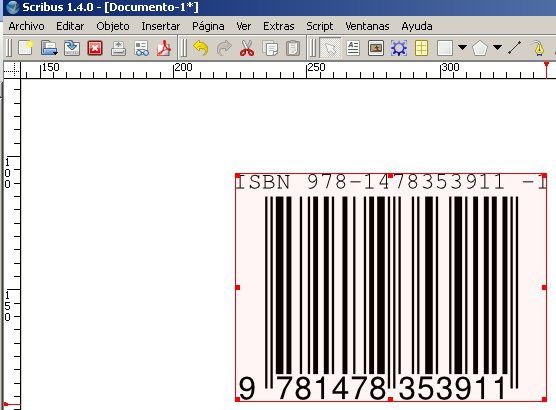
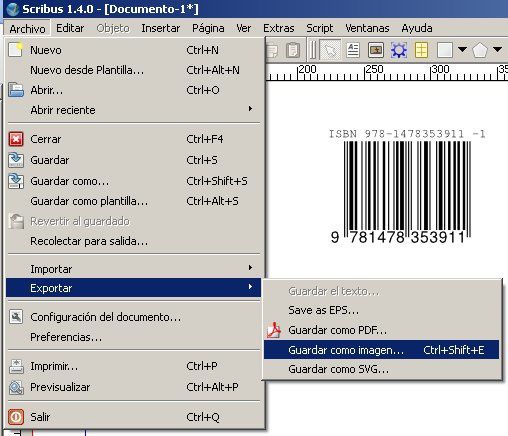
You may then export the whole page as a PNG or PDF document, that can later on be imported and cropped in any other application, such as InkScape or GIMP...