

/fdata%2F5016695%2Favatar-blog-1266450339-tmpphpnXZ5LS.jpg)

(comes from here)
Once you have the list of posts to be downloaded as a page, you can copy it in your edition section and copy the link for it:
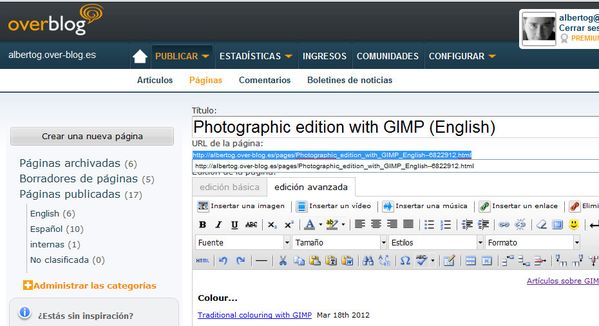
Then, from the linux console, you may write:
wget -r --level=1 -p http://miblog.over-blog.es/your_page.html
...where "...your_page.html" is the link you just copied.
Explanations...
- wget is the function name in the console
- "-r" indicates a recursive download, to process all links included in that page
- "--level=1" indicates the "depth" level for your download. By indicating "1", we will just download the artiles lited in that page. Please notice the duplicated hyphen.
- "-p" forces images download, together with all elements added to the plain text.
There are many more options for advanced users, as "-H" to include external hosts in your download (thus not only pages in your blog), or "-k" to adapt those external links for local navigation. FOr more information, you might check the link